 Node-RED: Introduction
Introduction to Node-RED, everything you need to know about it
👋 Welcome to the Stackhero documentation!
Stackhero offers a ready-to-use Node-RED cloud solution that provides a host of benefits, including:
- MQTT server included (Mosquitto).
- Full access to Node-RED admin UI.
- Node-RED Dashboard included.
- Unlimited and dedicated SMTP email server included.
- Effortless updates with just a click.
- Customisable domain name secured with HTTPS (for example, https://node-red.your-company.com).
- Optimal performance and robust security powered by a private and dedicated VM.
Save time and simplify your life: it only takes 5 minutes to try Stackhero's Node-RED cloud hosting solution!
What is Node-RED
Node-RED is a user-friendly, visual tool that allows you to create programmes or APIs directly from your browser. Think of it as a convenient back-end alternative or even a serverless solution. Officially, it is recognised as a "low-code" programming platform.
With Node-RED, you can easily connect to a variety of online services, hardware devices, and databases, all with just a few clicks. While it is particularly renowned in the IoT sector and numerous industries, its applications extend far beyond these areas.
One of the standout features of Node-RED is its intuitive interface, accessible directly from your browser. It offers a multitude of functional blocks ready to use, eliminating the need for extensive programming knowledge. These blocks can be seamlessly linked to create complex systems in mere minutes.
For those who wish to delve deeper, Node-RED allows you to incorporate JavaScript code directly in the browser, unlocking a world of possibilities.
Node-RED is built on Node.js, utilising JavaScript.
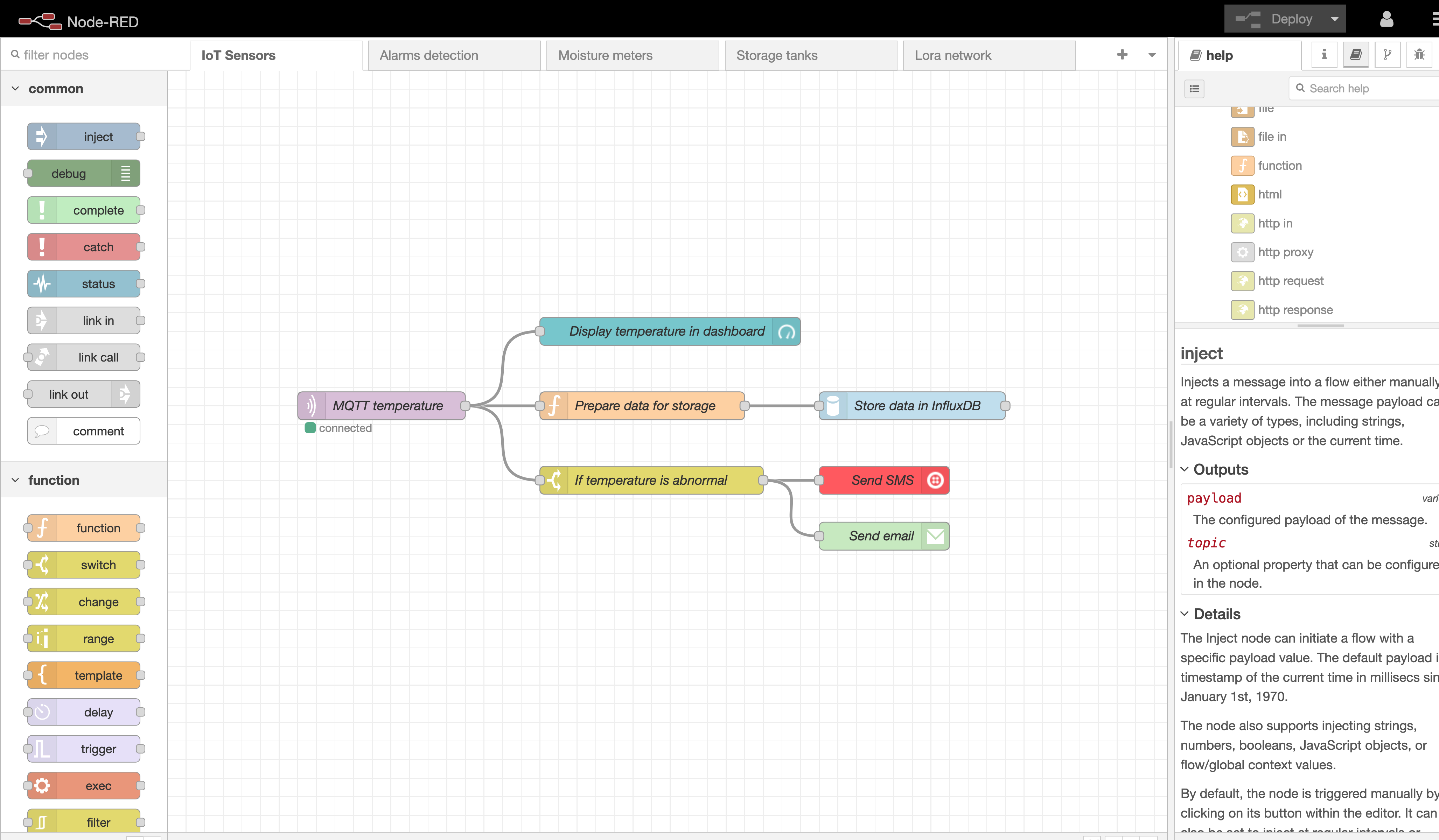 Node-RED project example
What can be done with Node-RED
With Node-RED, the possibilities are virtually limitless. Here are just a few examples of projects people have successfully undertaken:
- IoT sensor gateways using MQTT
- API services creation
- Automated email workflows
- Building Twitter bots
- Webpage scraping
- Serving as a gateway between different services, such as APIs and databases
Who created Node-RED
Node-RED was initially developed in 2013 by IBM employees Nick O'Leary and Dave Conway-Jones. The project was open-sourced in September 2013 and later joined the OpenJS Foundation in October 2016.
Nick O'Leary and Dave Conway-Jones remain prominent contributors to the project.
What are Node-RED nodes
In Node-RED, a "node" refers to a block that can receive, transform, and transmit data.
This data can flow between nodes, external APIs (such as Google, Stripe, Twitter, etc.), databases (like MySQL, MongoDB, Elasticsearch, OpenSearch, etc.), or other systems (including MQTT, email servers, object storage, and more).
Nodes are interconnected using wires, visually arranged within the browser interface.
Node-RED includes approximately 40 pre-installed nodes. Some are basic, like Switch conditions. Others facilitate external connections, like HTTP, MQTT, or Email nodes. Some nodes, such as Function and Template, can encompass complex code or be used to craft advanced text documents or HTML pages.
With the Node-RED "palette," you have the option to add external nodes crafted by global companies or users. Nearly 4,000 external nodes are available, all free of charge!
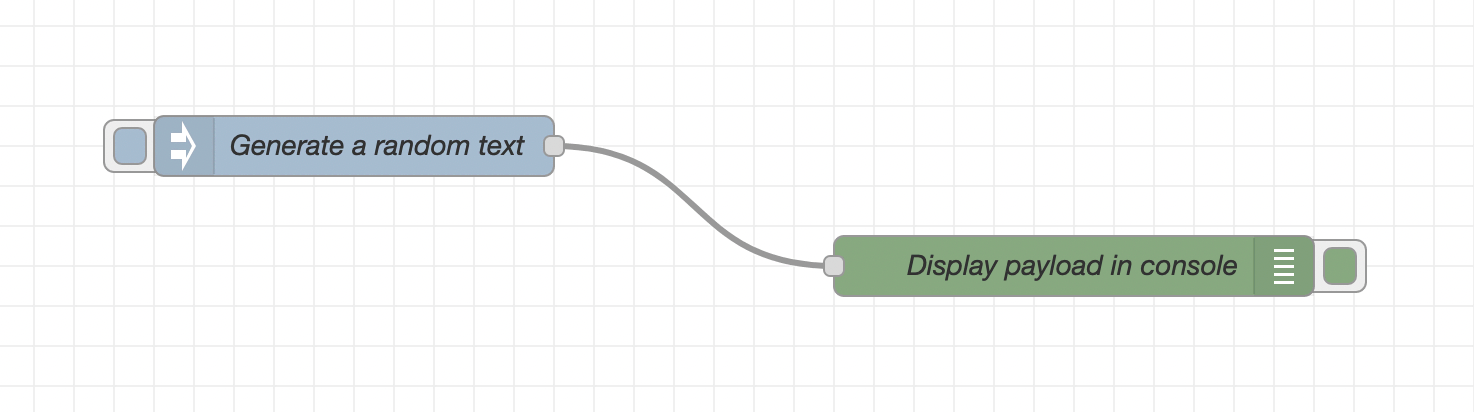 Node-RED nodes example
What are Node-RED flows
Node-RED flows are essentially tabs that house nodes. Their purpose is to organise subprojects' logic into multiple pages, enhancing clarity and manageability.
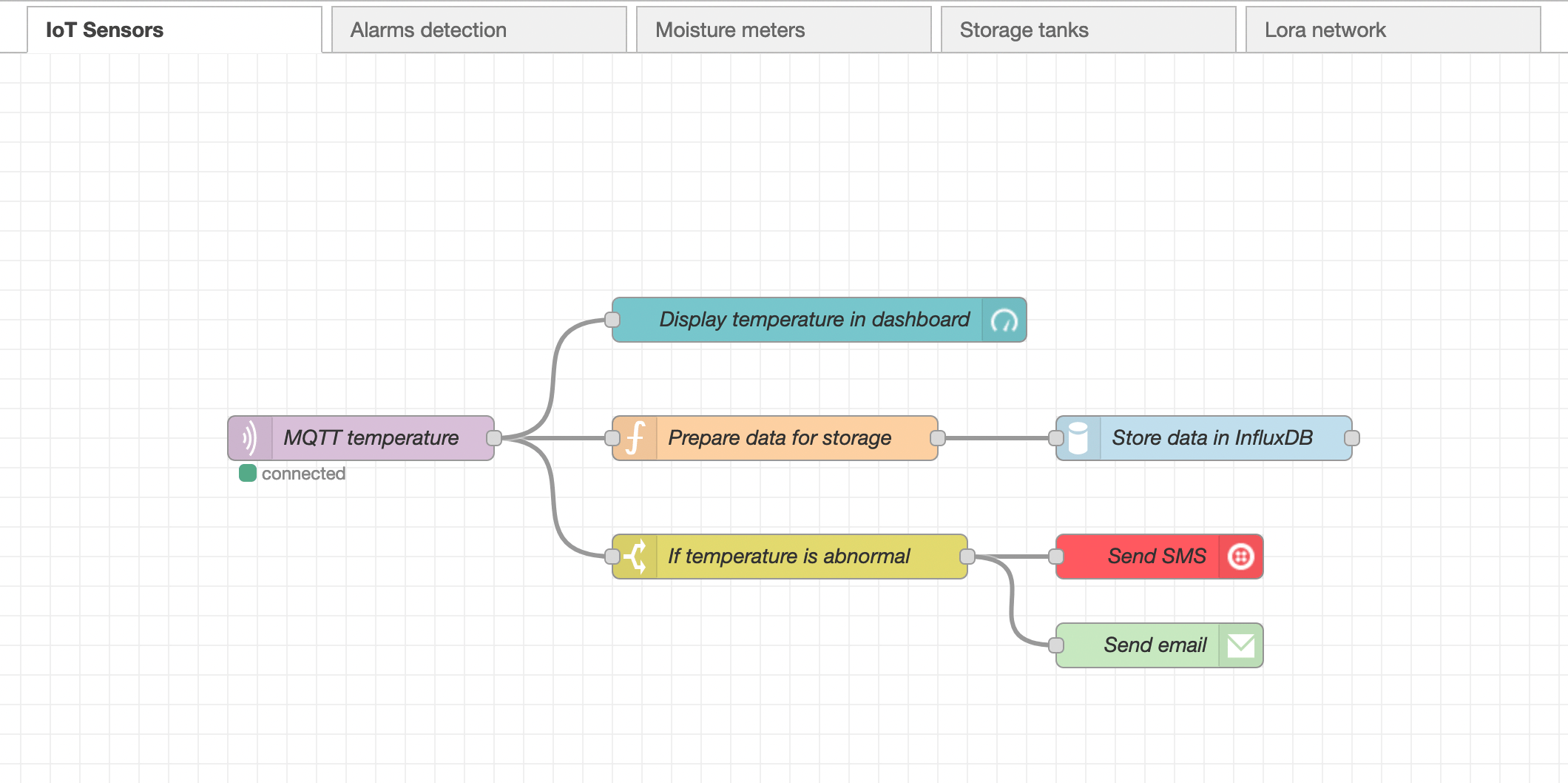 Node-RED flows example
What makes Node-RED so interesting
Node-RED's appeal lies in its ease of access for beginners, coupled with its advanced features for experts. This combination makes it incredibly versatile.
You can quickly create a proof of concept for demonstrations or fully automate complex industrial processes with multiple dependencies, all achievable with Node-RED and just a few clicks.
When to use Node-RED
Node-RED's use cases are as diverse as your imagination allows. However, here are some typical projects you might consider:
- Connecting devices, like IoT sensors, to databases
- Retrieving data from APIs, processing it, and storing the results
- Automating interactions between services (e.g., MQTT, APIs, databases)
- Developing an API to interface with databases
What is Node-RED cloud
Node-RED cloud refers to deploying Node-RED on a cloud provider, rather than relying on on-premises solutions.
There are several Node-RED cloud providers, with Stackhero being one notable example.
With Stackhero, you can have a dedicated Node-RED instance up and running in just 2 minutes, featuring:
- ➡️ A private Node-RED server
- ➡️ Unlimited email server capabilities
- ➡️ A dedicated MQTT server (Mosquitto) with TLS encryption and user authentication
- ➡️ A dedicated IPv4 address
- ➡️ Automatic daily backups
- ➡️ Automatic TLS certificates (SSL/HTTPS)
- ➡️ The option to start in the USA or Europe
How to start Node-RED
If you feel Node-RED is a good fit for your project and wish to explore it effortlessly, you are in the right place. We offer managed Node-RED instances that are pre-configured and ready for use with just a single click.
You can start a free demo instance in only 2 minutes, allowing you to test Node-RED without any hassle. Once you are satisfied with your testing, transitioning to a production environment and upgrading is as simple as a single click.
Click here to learn more about Node-RED cloud and start it for free.