 GitLab: CI/CD
How to use GitLab CI/CD
👋 Welcome to the Stackhero documentation!
Stackhero offers a ready-to-use GitLab cloud solution that provides a host of benefits, including:
- Unlimited users, repositories, transfers, and CI/CD processing time.
- Effortless updates with just a click.
- Customisable domain name secured with HTTPS (for example, https://git.your-company.com).
- Optimal performance and robust security powered by a private and dedicated VM.
- Available in 🇪🇺 Europe and 🇺🇸 USA.
Save time and simplify your life: it only takes 5 minutes to try Stackhero's GitLab cloud hosting solution!
Introduction
GitLab CI/CD is a powerful and integrated feature of GitLab, a popular open-source platform for version control and collaboration. This tool enables you to streamline and automate the critical stages of building, testing, and deploying your software, ensuring quicker and more dependable delivery of high-quality applications.
For example, with GitLab CI/CD, you can set up automated unit tests that trigger whenever a new commit is pushed to a GitLab repository. After passing these tests successfully, your code can be built and deployed to a staging environment for further evaluation. Upon clearing all staging tests, the system can promote the code to a production environment, making it available to end users.
One of the standout features of GitLab CI/CD is its tight integration within GitLab itself. This allows you to define and manage your CI/CD pipelines directly within your project repositories, simplifying the orchestration and tracking of your entire workflow.
GitLab CI/CD supports a wide array of programming languages, frameworks, and tools, making it versatile enough to suit various types of projects. Its customisable pipeline system lets you tailor each stage of the CI/CD process to your needs, whether it is building, testing, or deploying to multiple environments.
In summary, GitLab CI/CD is an all-encompassing solution designed to automate and enhance software delivery processes. It allows developers to focus on writing and improving code while the platform efficiently manages operational tasks.
How to build Docker images in your GitLab CI
If your project repository includes Dockerfile files, you can automate the process of building, running, and, if needed, publishing Docker images to a registry.
Step 1: Enable Docker in Docker (DinD) support
To start, enable "Docker in Docker" (DinD) support in your Stackhero dashboard.
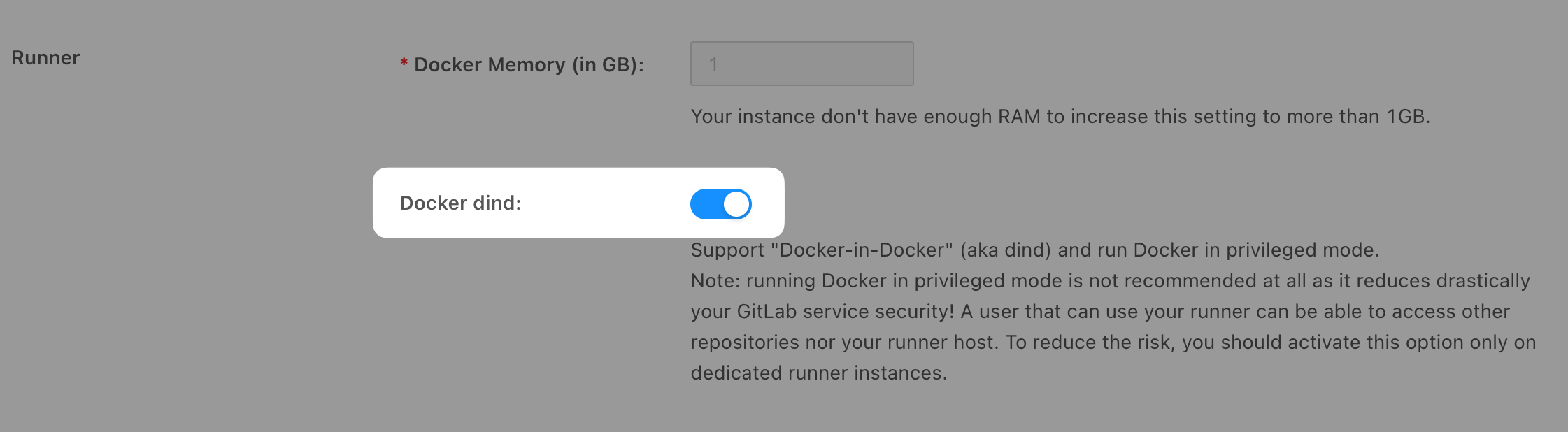
Enabling DinD support presents a security risk, especially if you want to isolate your users and avoid them accessing each other's projects.
Step 2: Configure the GitLab CI pipeline
Next, update your gitlab-ci.yml file to include a pipeline configuration that builds your Dockerfile using DinD. Below is an example configuration:
image: docker:20.10.21

variables:
  DOCKER_TLS_CERTDIR: "/certs"

services:
  - docker:20.10.21-dind

before_script:
  - docker info

build:
  stage: build
  script:
    # Replace "my-docker-image" with the name of your desired image:
    - docker build -t my-docker-image .
    # Optionally, test the Docker image:
    # - docker run my-docker-image /script/to/run/tests
For additional guidance on building Docker images with GitLab CI, consult the official GitLab documentation.