 Elasticsearch: Ingest attachment plugin
How to extract data from PPT, XLS, and PDF files to Elasticsearch
👋 Welcome to the Stackhero documentation!
Stackhero offers a ready-to-use Elasticsearch cloud solution that provides a host of benefits, including:
- Optimal performance and robust security powered by a private and dedicated VM.
- Customizable domain name secured with HTTPS encryption support.
Save time and simplify your life: it only takes 5 minutes to try Stackhero's Elasticsearch cloud hosting solution!
The Ingest Attachment plugin parses and extracts metadata and text from various file formats including PowerPoint presentations, Excel documents, and PDFs. It leverages Apache Tika, a powerful text extraction library. For a comprehensive list of supported formats, please visit Tika's website.
This guide will help you get started with the plugin.
Add the plugin to Elasticsearch
First, enable the plugin in your Stackhero Elasticsearch configuration:
- Go to the Elasticsearch section in your Stackhero dashboard.
- Select the plugin
ingest-attachmentfrom the available options.
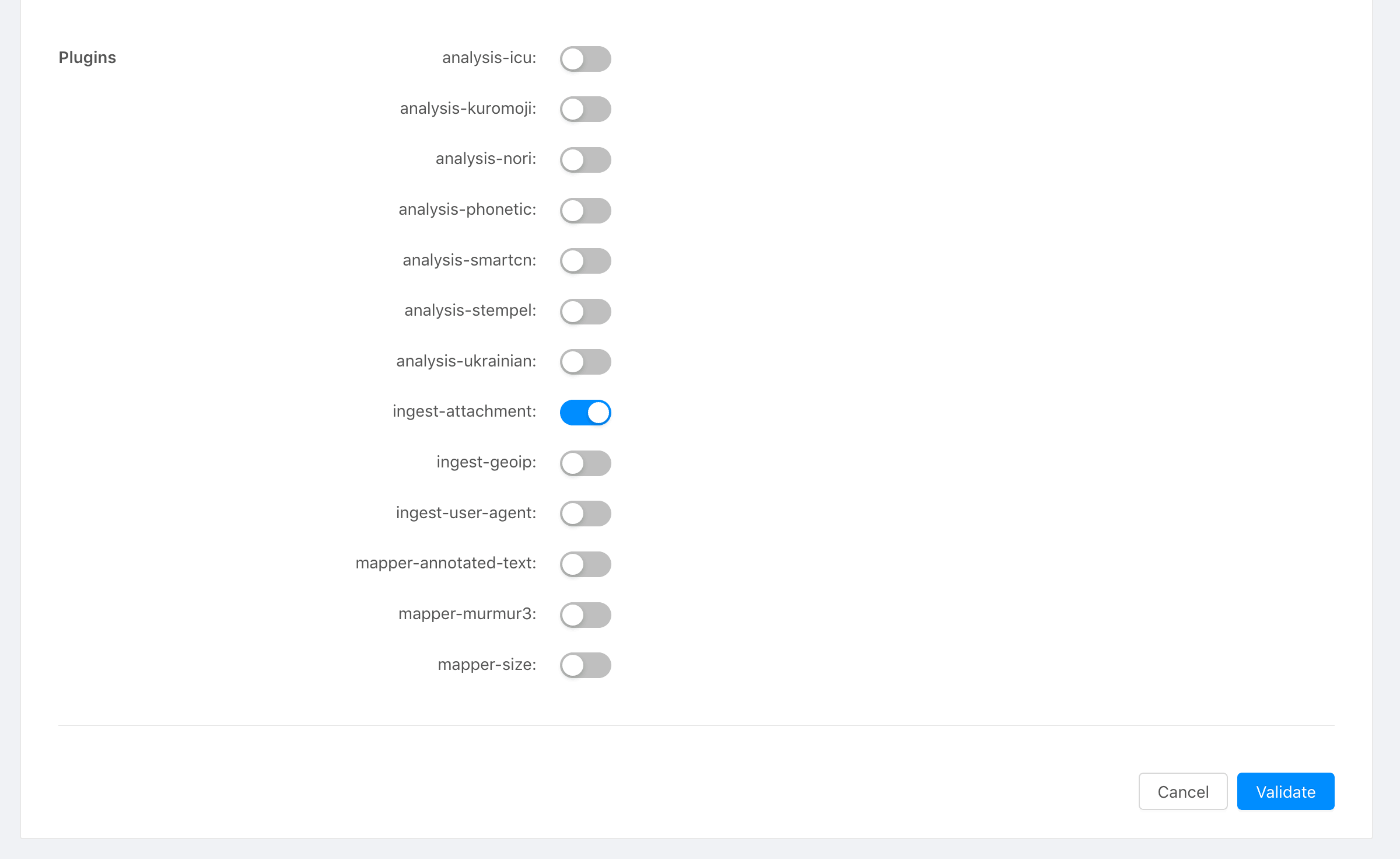 Stackhero dashboard
Declare the pipeline attachment
Next, declare the attachment pipeline in Elasticsearch. In this example, the content you wish to extract is stored in the field data:
PUT _ingest/pipeline/attachment
{
  "description": "Extract attachment information",
  "processors": [
    {
      "attachment": {
        "field": "data"
      }
    }
  ]
}
We recommend using the "Dev Tools" in Kibana for a simple copy/paste execution of this command.
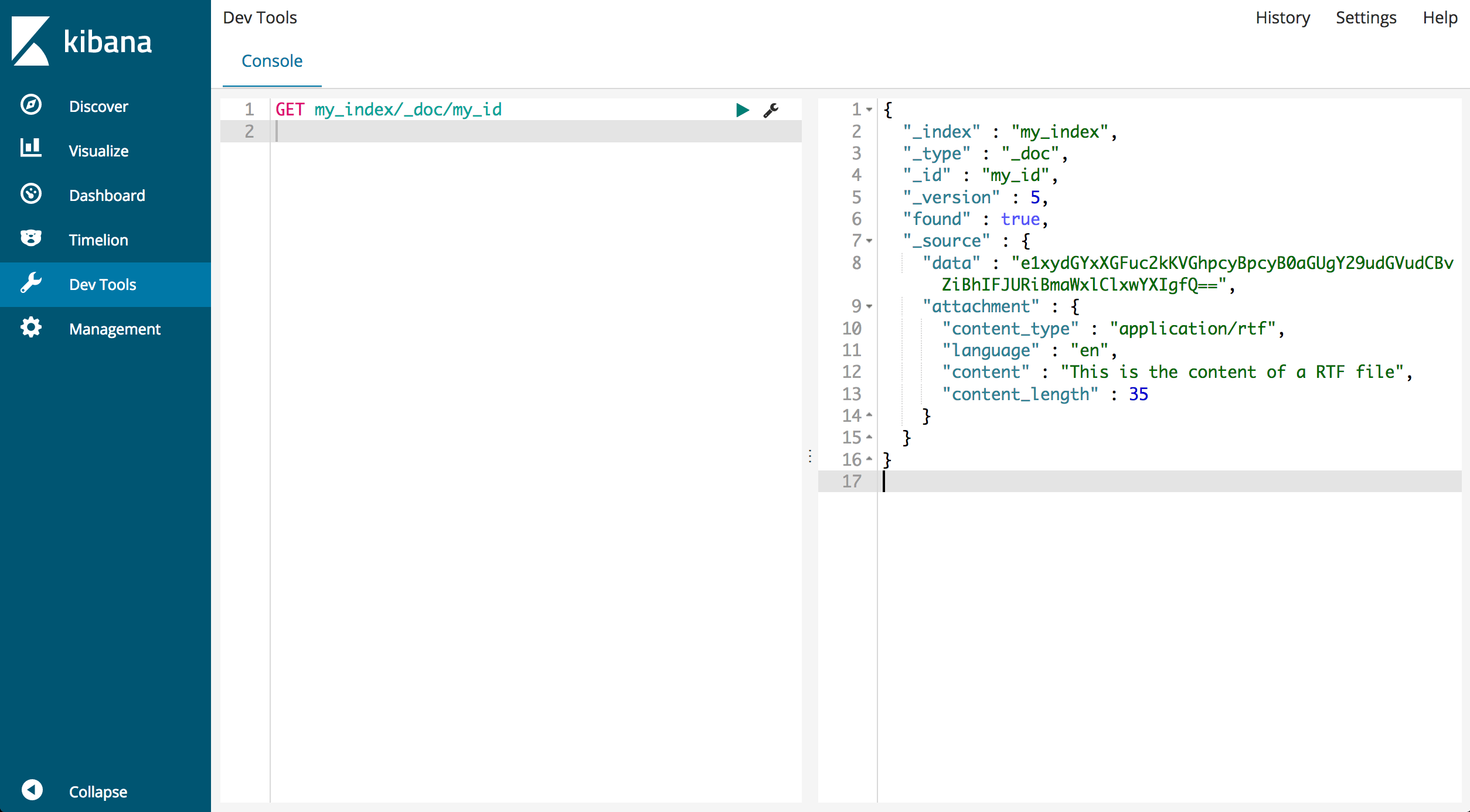 Dev tools Kibana
Add a document with an attachment
Now you can index a document that contains an attachment. The document should include a data field that holds the file content encoded in Base64. In this example, the document is an RTF file containing the sentence "This is the content of an RTF file":
PUT my_index/_doc/my_id?pipeline=attachment
{
  "data": "e1xydGYxXGFuc2kKVGhpcyBpcyB0aGUgY29udGVudCBvZiBhIFJURiBmaWxlClxwYXIgfQ=="
}
Retrieve the document with the attachment content
To view the processed document, retrieve it using its ID:
GET my_index/_doc/my_id
The response should look similar to the following:
{
  "_index" : "my_index",
  "_type" : "_doc",
  "_id" : "my_id",
  "_version" : 1,
  "found" : true,
  "_source" : {
    "data" : "e1xydGYxXGFuc2kKVGhpcyBpcyB0aGUgY29udGVudCBvZiBhIFJURiBmaWxlClxwYXIgfQ==",
    "attachment" : {
      "content_type" : "application/rtf",
      "language" : "en",
      "content" : "This is the content of a RTF file",
      "content_length" : 35
    }
  }
}
Notice that the _source field now includes both the original Base64 data and the extracted attachment details such as file type and content.
Conclusion
The Ingest Attachment plugin is a powerful and user-friendly tool for extracting content and metadata from various file formats. It integrates directly with Elasticsearch for seamless data ingestion. For additional information, please refer to the official documentation.