 Code-Hero: Troubleshooting
Code-Hero troubleshooting guide
👋 Welcome to the Stackhero documentation!
Stackhero offers Code-Hero, a complete development platform to code in seconds:
- Code from anywhere: Use any device, be it a desktop, phone, or tablet, without requiring any software installations.
- Integrated VSCode experience: Work with a customized version of VSCode directly through your browser, featuring a fully functional terminal.
- Comprehensive toolset: Benefit from a pre-configured environment with tools and languages like
Docker,Git,Zsh,Node.js,Go,Python,Ruby, and more.- Seamless connectivity: Access your development applications via HTTPS on a public domain, mimicking production conditions. This setup supports webhooks and external integrations effortlessly.
Experience the efficiency and convenience of Stackhero's Code-Hero development cloud solution. It takes just 5 minutes to get started! Simplify your development processes and save valuable time today.
Resolving the error "REMOTE HOST IDENTIFICATION HAS CHANGED!" when trying to push
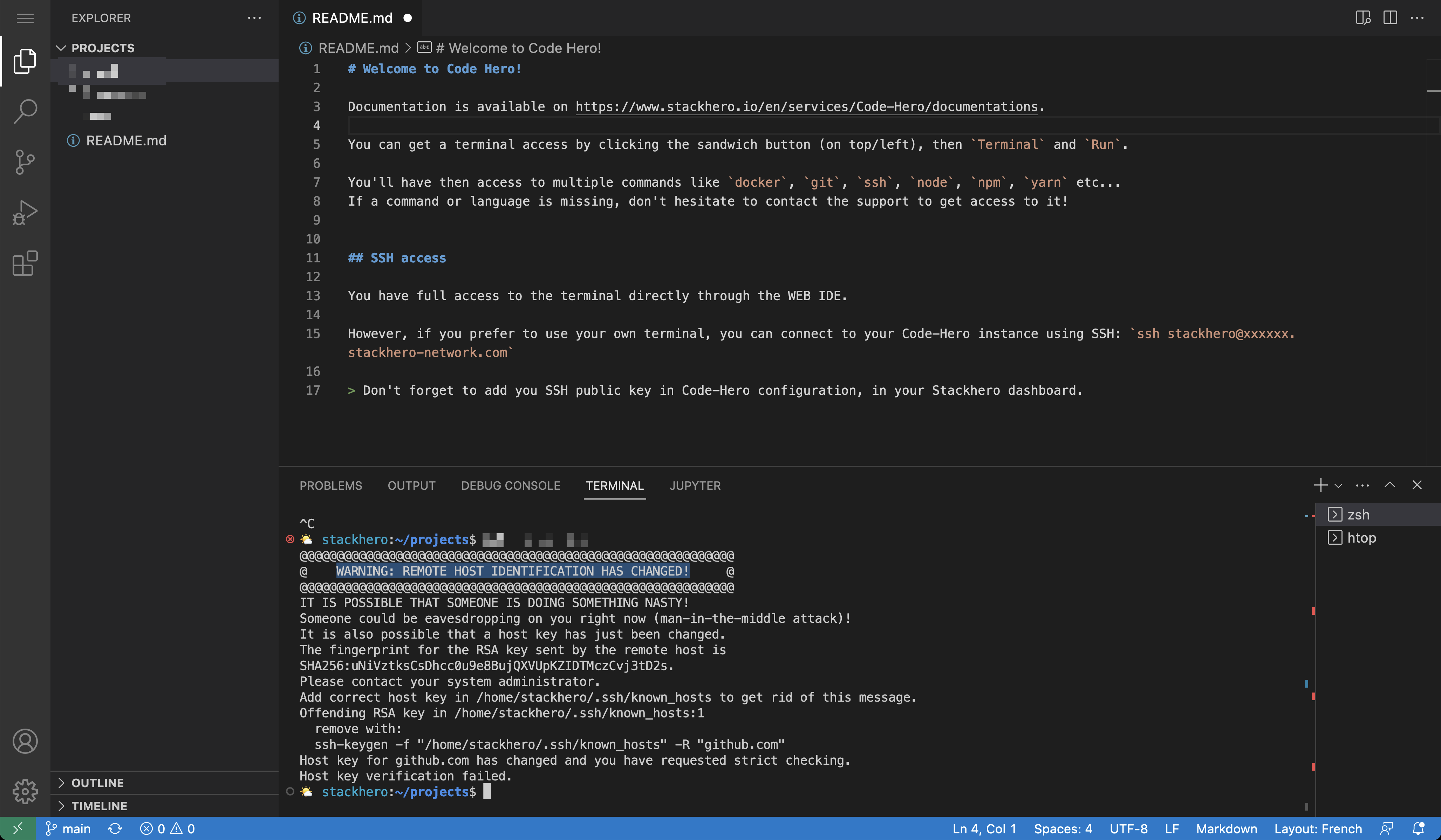 GitHub key error on a Code-Hero instance
If you encounter the error "REMOTE HOST IDENTIFICATION HAS CHANGED!" when interacting with GitHub (for example, when pushing your commits with git push), it is likely due to a change in GitHub's RSA private key. This update took place on March 24, 2023, after the key was exposed in a public repository. The change causes your machine to be unable to verify the host key using your current configuration.
Below is an example of the error message you might see:
@@@@@@@@@@@@@@@@@@@@@@@@@@@@@@@@@@@@@@@@@@@@@@@@@@@@@@@@@@@
@    WARNING: REMOTE HOST IDENTIFICATION HAS CHANGED!     @
@@@@@@@@@@@@@@@@@@@@@@@@@@@@@@@@@@@@@@@@@@@@@@@@@@@@@@@@@@@
IT IS POSSIBLE THAT SOMEONE IS DOING SOMETHING NASTY!
Someone could be eavesdropping on you right now (man-in-the-middle attack)!
It is also possible that a host key has just been changed.
The fingerprint for the RSA key sent by the remote host is
SHA256:uNiVztksCsDhcc0u9e8BujQXVUpKZIDTMczCvj3tD2s.
Please contact your system administrator.
Add correct host key in ~/.ssh/known_hosts to get rid of this message.
Offending RSA key in ~/.ssh/known_hosts
  remove with:
  ssh-keygen -f "~/.ssh/known_hosts" -R "github.com"
RSA host key for github.com has changed and you have requested strict checking.
Host key verification failed.
fatal: Could not read from remote repository.

Please make sure you have the correct access rights
and the repository exists.
To resolve this issue, you can follow these steps:
- Remove the old key for the GitHub hostname:
ssh-keygen -R "github.com" - Remove the old key for the GitHub IP address:
ssh-keygen -R $(dig +short github.com) - Add the new key for GitHub:
ssh-keyscan github.com >> ~/.ssh/known_hosts
Once these steps are completed, you should be able to interact with GitHub and push your code without encountering the error.